Find and Use a Skill
Install from the Marketplace
- Open Skills in the sidebar;
- Open Marketplace;
- Search by keyword or tag, or use sorting;
- Open the details and review the purpose and instructions;
- Click Install.
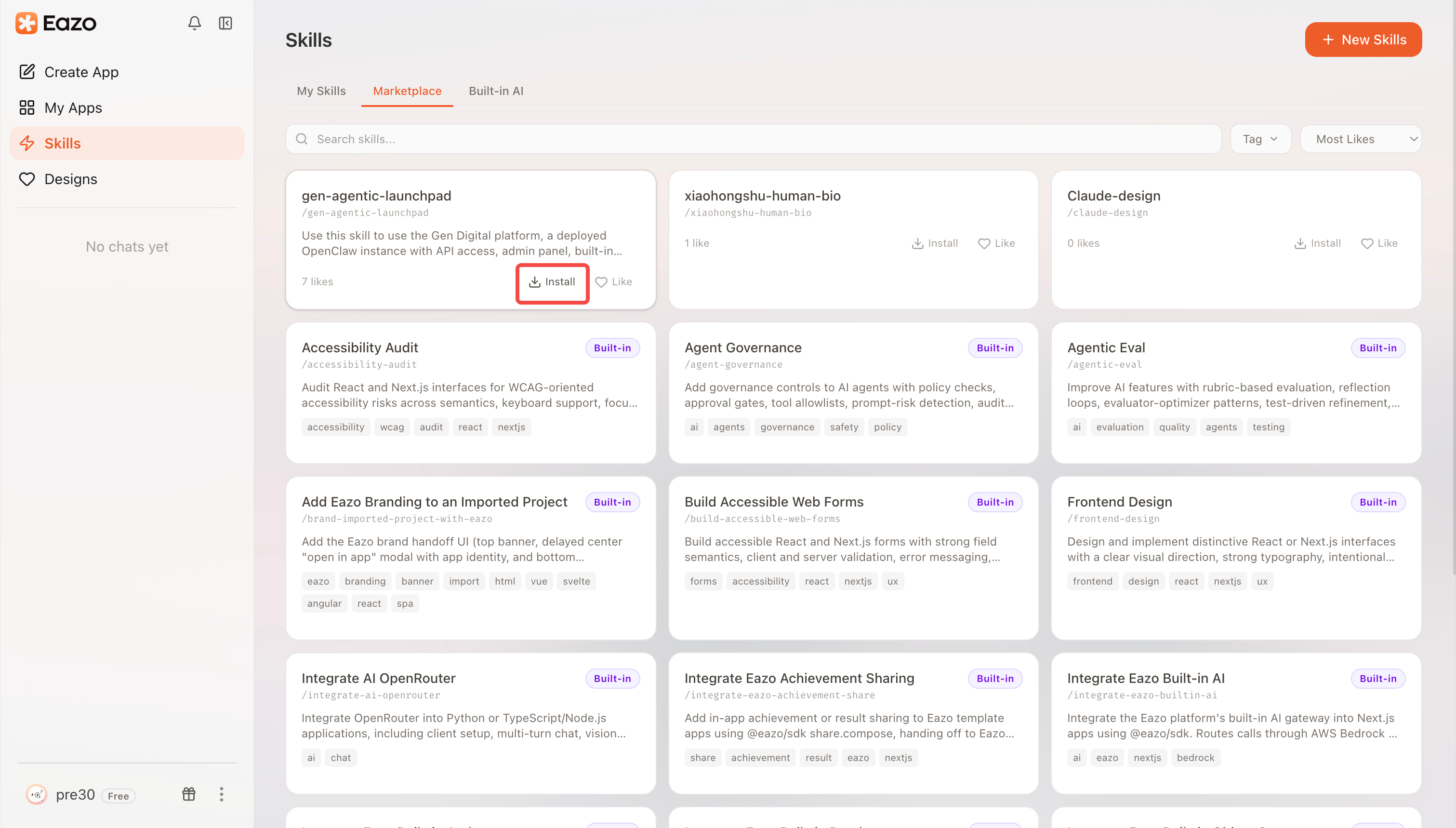
Filter the Marketplace by keyword or tag, open a Skill, and click Install.
An installed Skill appears in My Skills. Uninstall it when you no longer need it. Uninstalling does not undo changes it made in earlier tasks.
Invoke a Skill in Chat
Choose Explore all skills in the / menu to open Choose a Skill. Click Use to insert it into the current composer and close the dialog. This does not send a message or favorite the Skill. The heart icon in the top-right corner toggles favorites independently; a filled heart means the Skill is favorited; your own Skills can be selected directly.
Enter / in the composer to search your own or favorited Skills. Existing chats also offer built-in sandbox Skills. You can select more than one Skill in the same message; choosing another adds it without removing the Skills already in the composer, and keeps your text and attachments. Add the specific goal for this task and send it. For example:
/form-check Review the registration form, focusing on mobile layout, required fields, and submission failure messages.
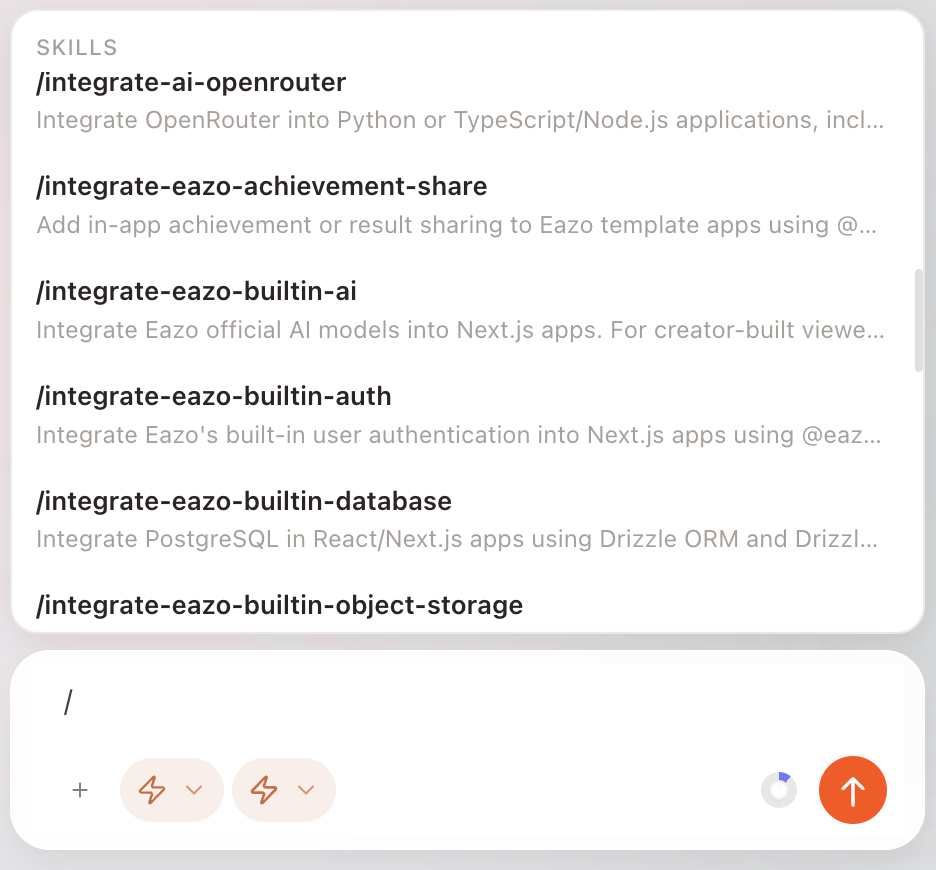
Enter / to open the available Skill list, select one, and add the goal for this task.
The Skill provides the method; your message provides the goal. Even when a Skill is detailed, identify the page to work on, the desired result, and anything that must not change.
Your own Skills use your latest version; favorited Skills from others use the public, approved version. Withdrawn, disabled, or unpublished Skills from others cannot be invoked.
If sending fails, your draft is kept. If delivery is unconfirmed, check whether the chat received your request before sending it again.
Share a Public Skill
You can browse and search the community at /creator/skills without signing in. Importing, favoriting, and bulk actions require sign-in. When signed out, selecting My Skills, Favorites, or Built-in AI opens the sign-in dialog while keeping the community list visible.
Open an active public Skill and click Share Skill. The panel shows a community QR code on the left and a selectable public URL on the right:
- Share to Eazo community: Scan the QR code on the left with Eazo. The Skill is attached to a new post. Add your text, then publish. Other scanners open the public detail page. Open the sharing panel with the share button. On mobile, tap Share to Eazo community in that panel to open the app; the page never launches it automatically. Mobile browsers hide the QR panel. Tap Eazo in the platform row to open the app composer; after attempting to open the app, a download hint appears. If the app does not open, choose Download Eazo, then reopen the link or scan again.
- Public link: Click Copy link to share the public page. Recipients can view it without signing in. V5 Skill links use
/skills/{id} and include the Skill title and description for social previews. If copying fails, select the link and copy it manually. Swipe the platform row above the URL or use its arrows to browse. Eazo appears first: tap it on mobile to open the app composer, or on desktop to visit the download page. If the app does not open, the download link remains available. The remaining platforms are Reddit, X, Facebook, LinkedIn, WhatsApp, Telegram, or Bluesky. Confirm the share on the selected platform. Supported platforms receive a prepared message and the public link. Facebook and LinkedIn receive the link; write your own message on the platform.
Private, built-in, and inactive Skills do not offer this sharing option. Withdrawing a public Skill makes its shared content unavailable.