Confirm the Product Scope
The Agent pauses only when it needs your decision to continue or when different choices would materially change the result.
When confirmation is needed
- An essential requirement is missing;
- The Agent needs to confirm its understanding of the product direction;
- The build needs model, database, third-party service, or environment variable configuration.
When you see Waiting for your confirmation, check the card in Chat first. The build is usually not stuck.
Use a confirmation card
The Agent presents its product understanding, assumptions, and detailed explanation as a regular Chat message first. The confirmation card shows each short decision in turn, with a small set of options, any recommendation, and a custom-response route. Some cards add After answering, how would you like to continue? as the final question. Select a suggested action or enter your own, then click Continue to submit. You can also skip the question.
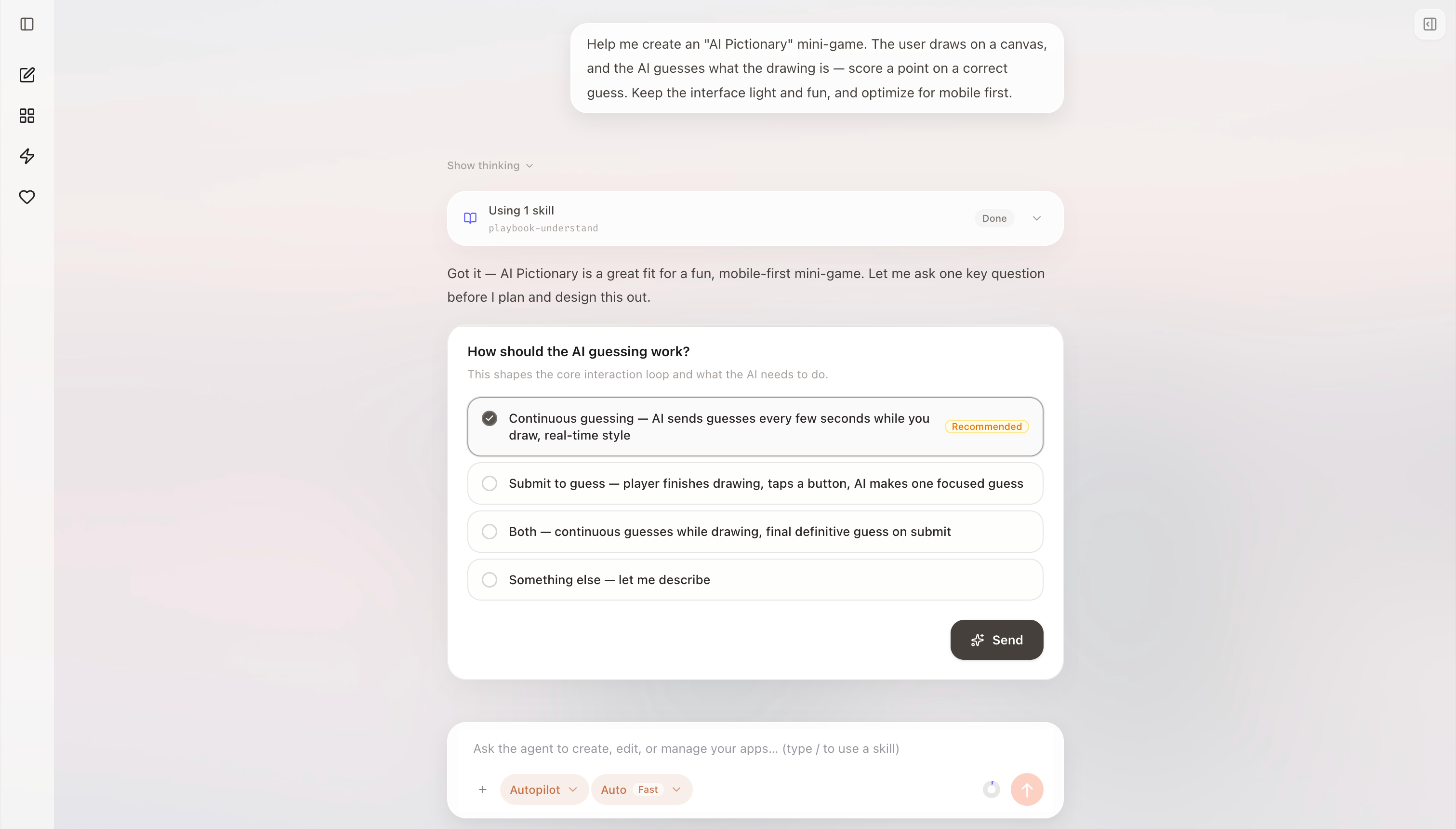
Read the explanation in Chat, then answer through the compact confirmation card above the composer.
Pay particular attention to whether:
- The target users are correct;
- The first version contains its most important feature;
- An essential constraint is missing;
- Unnecessary complexity has been added.
If the explanation is inaccurate, send a message that states the correct direction clearly:
The target user is an enrolled student, not an administrator. The first version does not need an admin dashboard; it only needs course browsing, enrollment submission, and result viewing.
Before you submit the card, the Agent preserves its progress and waits for your decision. You can skip the card by sending a new message, but the message should fully explain the new direction.