Start with an Idea
A good first message does not need to be long, but it should answer four questions when possible:
- Who will use the App?
- In what situation will they use it?
- What is the most important feature?
- What should it look like?
If you already know that the App needs sign-in, saved data, file uploads, community sharing, payments, reminders, App AI, or the ability for Eazo AI to query and update App content, include that too. Eazo connects the relevant capabilities during product planning and the build. See Add Eazo built-in capabilities to your App.
You can use this structure:
Create a [type of App] for [target users] that helps them [main goal] in [usage scenario]. Core features include [feature 1, feature 2, feature 3]. The interface should feel [visual preference].
For example:
Create a project quoting App for freelance designers that helps them prepare quotes quickly. Core features include entering services, calculating totals, saving records, and generating a share page. Make it professional and restrained, with desktop as the primary layout.
When you do not have a complete idea yet
Start with a problem, audience, or situation and ask the Agent to explore first:
I often forget to track payments for freelance projects, but I have not settled on a product. Help me decide what kind of App would work and ask me a few essential questions. Do not build it yet.
You can also validate a minimum version first:
For the first version, include only the essential record and review features. List the other ideas as possible future additions.
Provide reference material
You can upload screenshots or files, paste webpage links, or attach a saved design style. Explain what the reference is for and what should not be copied:
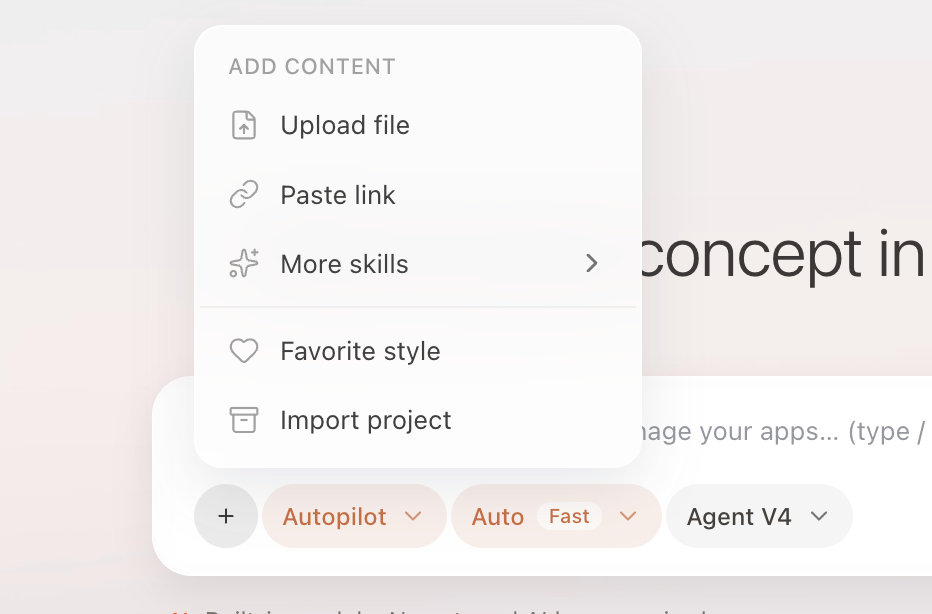
The composer supports screenshots, files, webpage links, and saved design styles.
Use this page's content density and filtering pattern only for the order list. Keep our current brand color, and do not copy its wording or icons.
A clear image of a subject can also be used to generate an interactive 3D character. See Generate 3D models and interactive scenes.
To import an existing project, provide a GitHub repository or ZIP file. Never place passwords or complete API Keys in a normal Chat message.