Choose a Design and Build the Pages
If you want to compare visual options before the build, explicitly ask the Agent to generate design directions. Select one, and Eazo first creates every frontend page in that style. You can refine the design and try the navigation before building the complete App.
Choose a design direction
When generation finishes with two or more options from the current request, a design picker appears in Chat. With a single option, you can preview it, favorite it, or request changes in the design panel. If the Agent explicitly asks for confirmation, answer that question to continue.
Compare information structure, core actions, primary device, and overall visual character, not just colors. If no option fits, ask for more directions or explain what to keep and what to change.
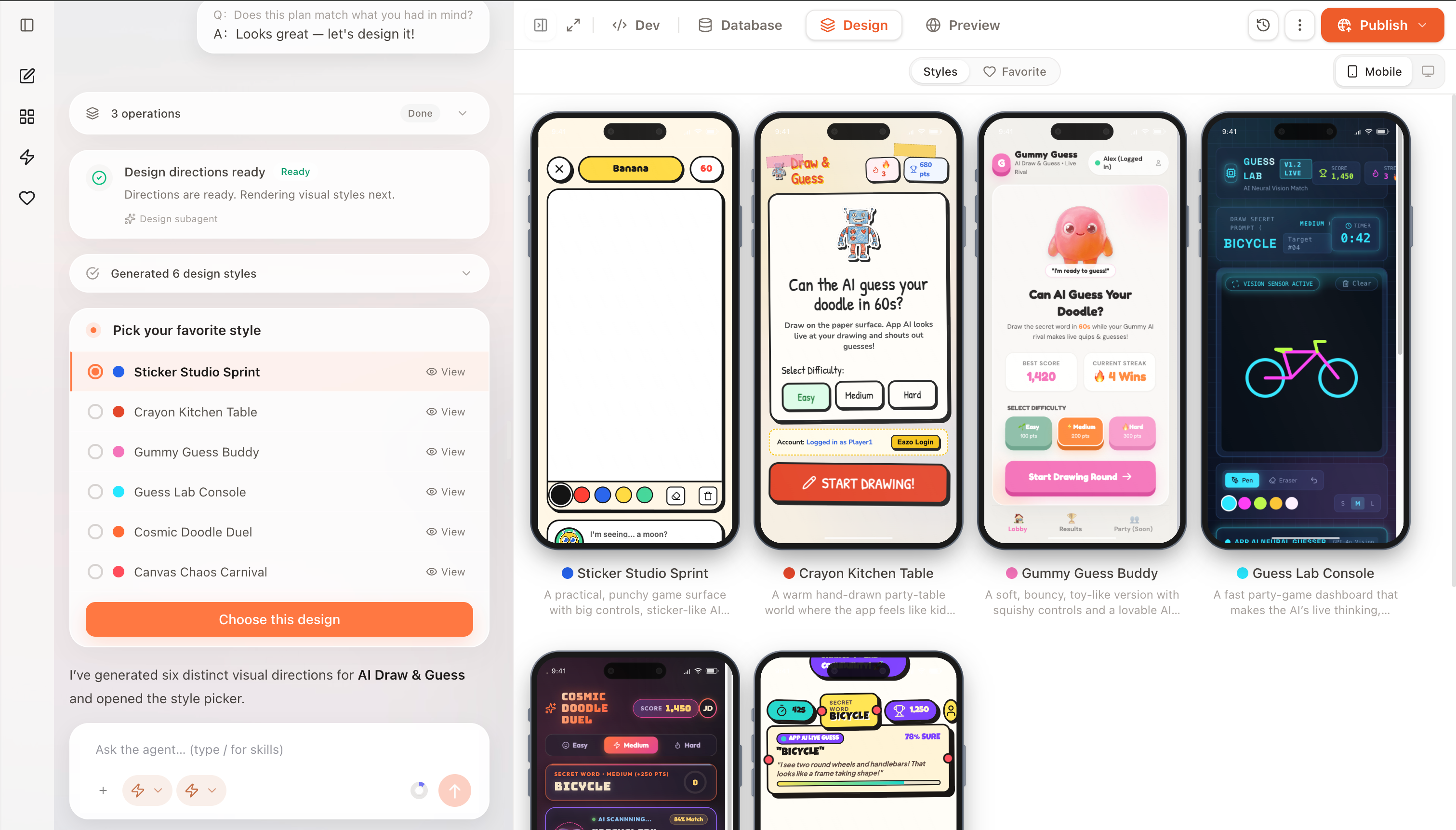
Choose one of the design directions. Eazo then generates all frontend pages in that style.
After you choose, Eazo begins generating every frontend page for that design.
Generate and review every page
Eazo opens the design detail view and displays all pages together. Check that every required page exists, the style is consistent, and important content appears in the right place.
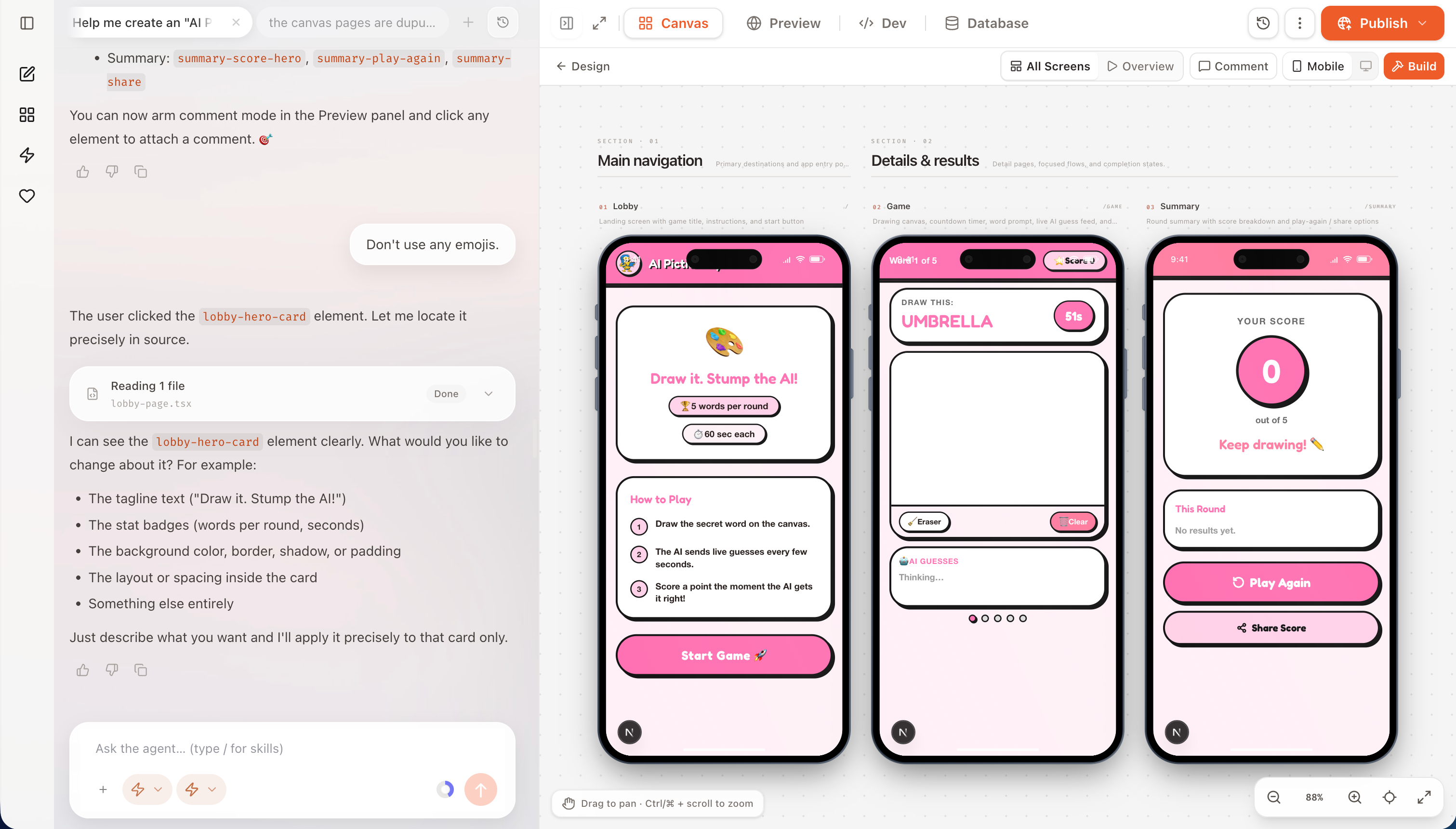
All frontend pages in the selected style are shown together for reviewing completeness, consistency, and layout.
These pages establish the frontend design and structure. The complete App has not been built yet; saved data, third-party services, and working functionality are added after you click Build.
Select elements and request changes
Click Comment, select an element on the page, and tell AI how to change it. For example:
Make this the page's primary action, use the current brand color, and change the label to “Create now.”
You can submit several instructions in a row. AI queues and processes them in order. Before reviewing the final result or starting the build, wait for the related changes to finish.
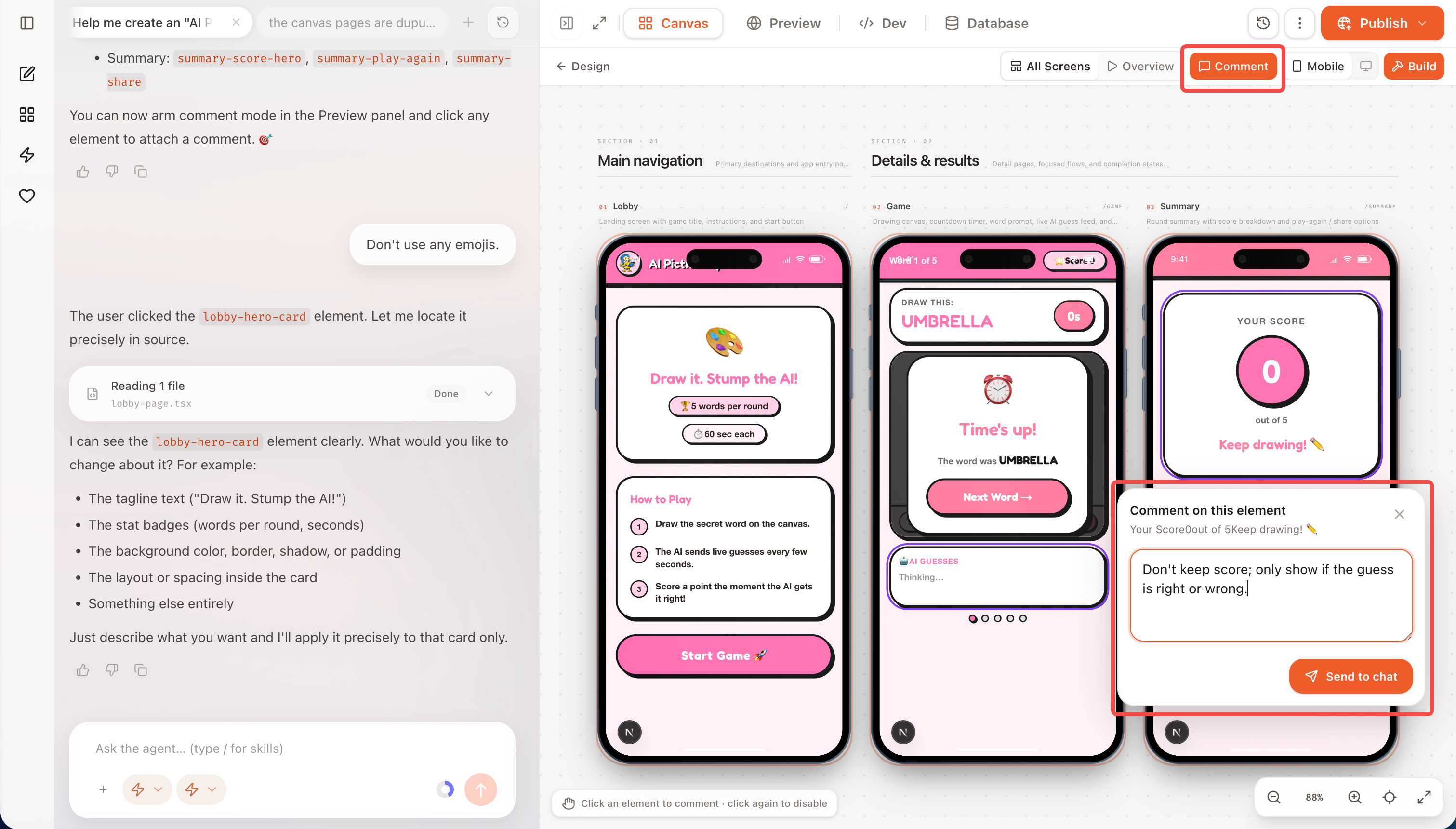
Click Comment, select an element, and describe the change. Multiple comments are queued and processed in order.
Try page navigation
Switch to interactive prototype mode and use the pages like an App. Verify that common entry points are easy to find, return paths are clear, and the core journey feels continuous.
The prototype is for testing frontend pages and navigation. It does not mean that sign-in, saved data, or external services are already functional.
Try another style (coming soon)
If the current direction does not fit, return to design directions and generate another multi-page prototype from a different style. Choose the overall style before investing in many detailed edits.