Manage Projects and Apps
Projects and Apps
- A Project is where you create and modify an App. It stores related Chats, designs, data, and creation progress;
- An App is the work being created in a Project. It appears in My Apps only after at least one successful publish or deployment, where you can manage its presentation, visibility, and production address. Before the first deployment, continue managing it from its Project.
One Project normally corresponds to one App and can contain multiple Chats.
Manage Projects
Open a Project's More menu in the sidebar to:
- Change its name and icon;
- Pin or unpin it;
- Archive a Project you are not currently using;
- Restore a Project from the archive.
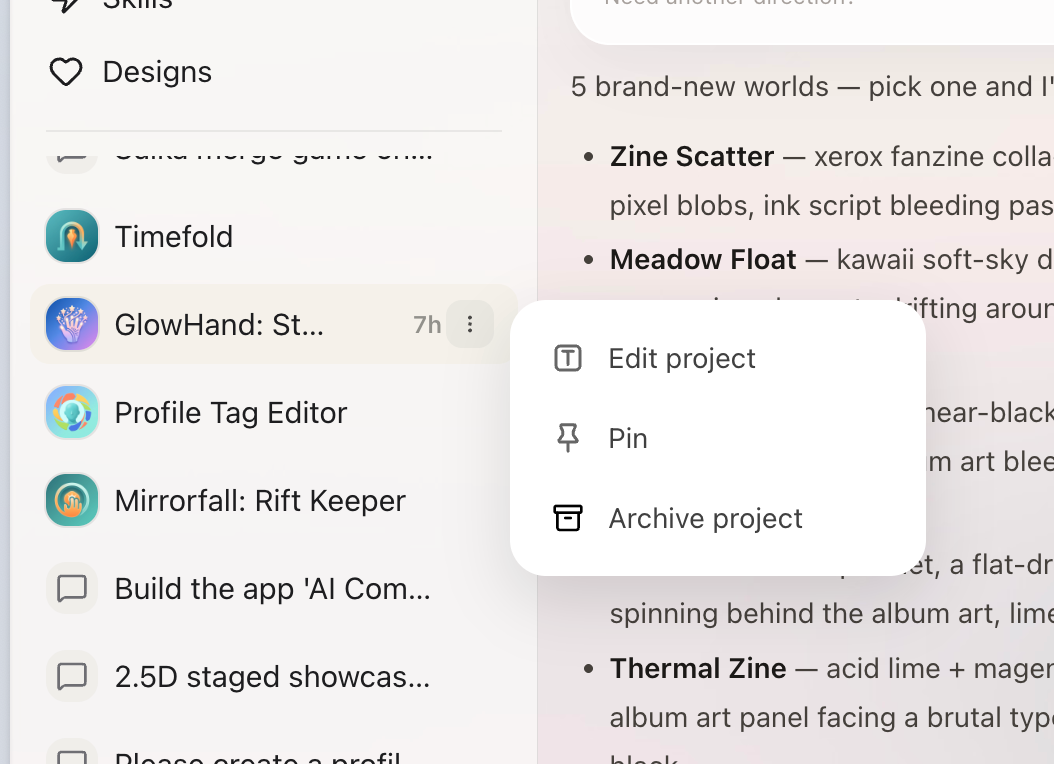
Rename, pin, archive, or restore a Project from its More menu in the sidebar.
Archiving does not delete Project content. It only removes the Project from the everyday list, and you can restore it when work resumes.
Manage My Apps
Open My Apps to find works that have been successfully published or deployed and open their details. Depending on the current state, you can continue editing, open Preview or production, update the App name and description, republish, update, or unpublish.
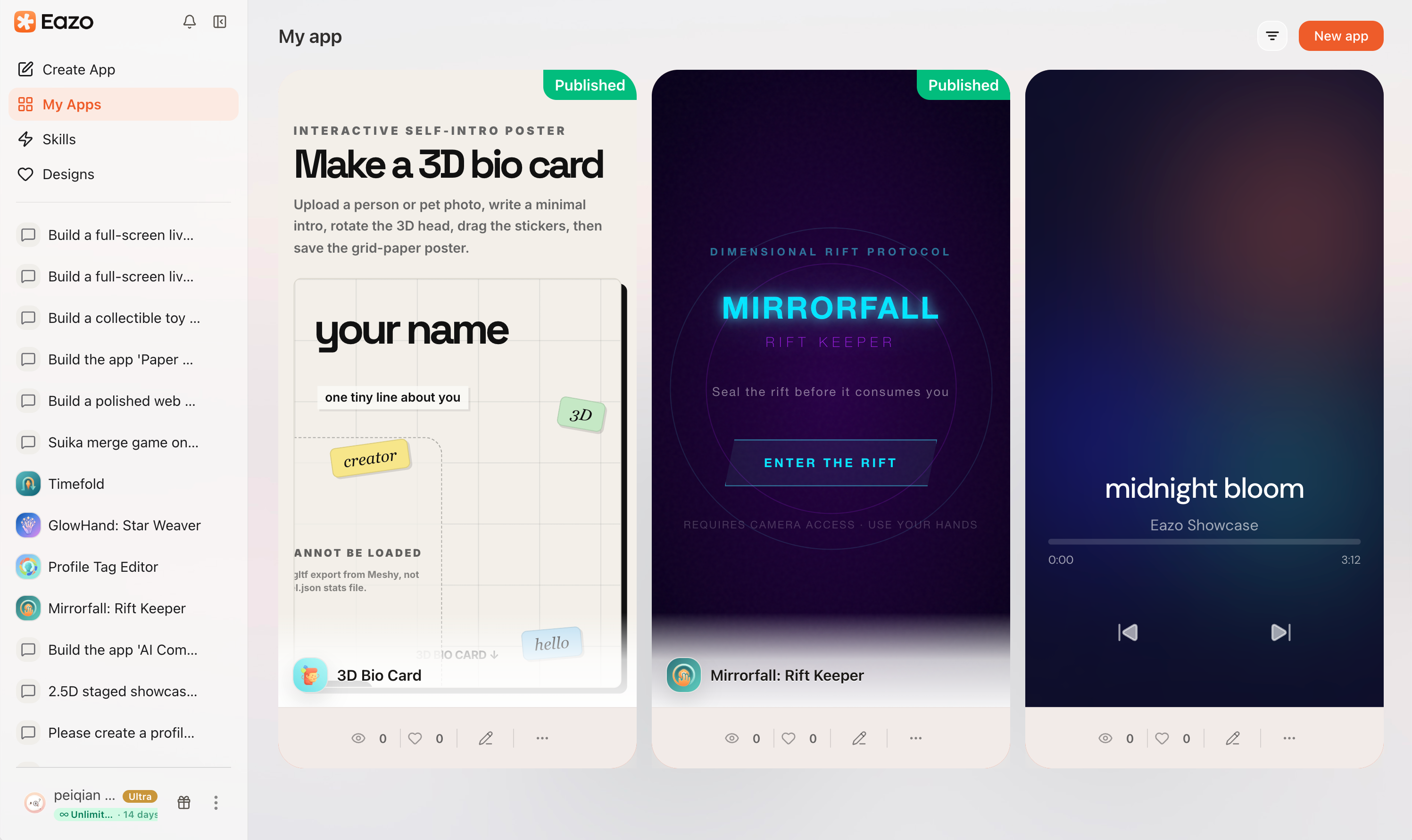
My Apps collects published or deployed works so you can continue editing, open production, or manage publication.
After unpublishing, the App is no longer presented under its former publication state, but its Project and creation history remain. Deleting an App is irreversible, so confirm that the work is no longer needed. Deleting an App is different from archiving a Project.
If information in My Apps does not match the App, update the name, Logo, short description, and full introduction from App details or Publish settings. Saving presentation information for a public App also updates its public page.