Use Community
Platforms: iOS and Android
Last updated: August 11, 2026
Community is where you discover interactive content, follow creators, and publish text, images, and App-related content.
Browse Community
- For You: recommended content.
- Following: content from people and creators you follow.
- Tap an App card in a post to open the work.
- Like, comment on, or share content.
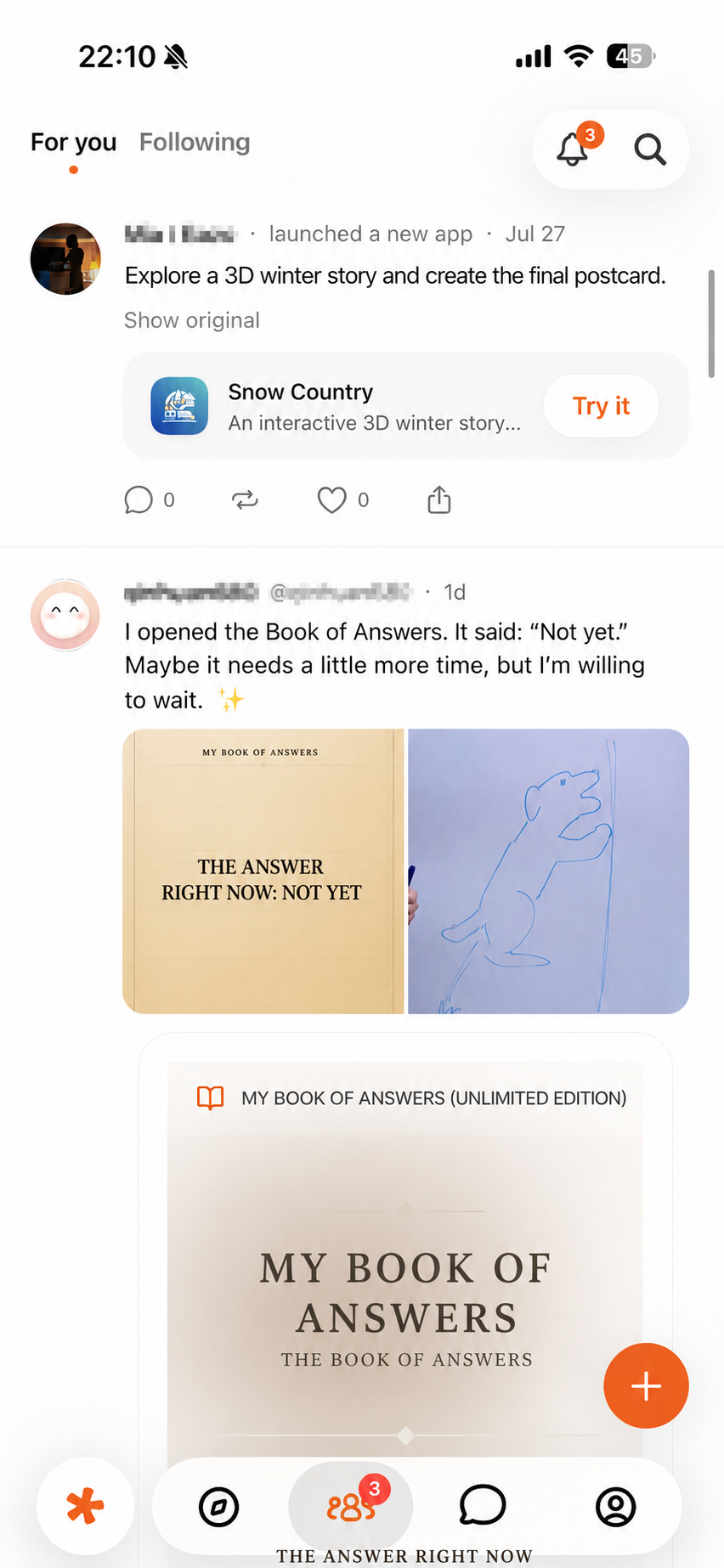 Figure 1: Browse posts and linked Apps in Community → For You.
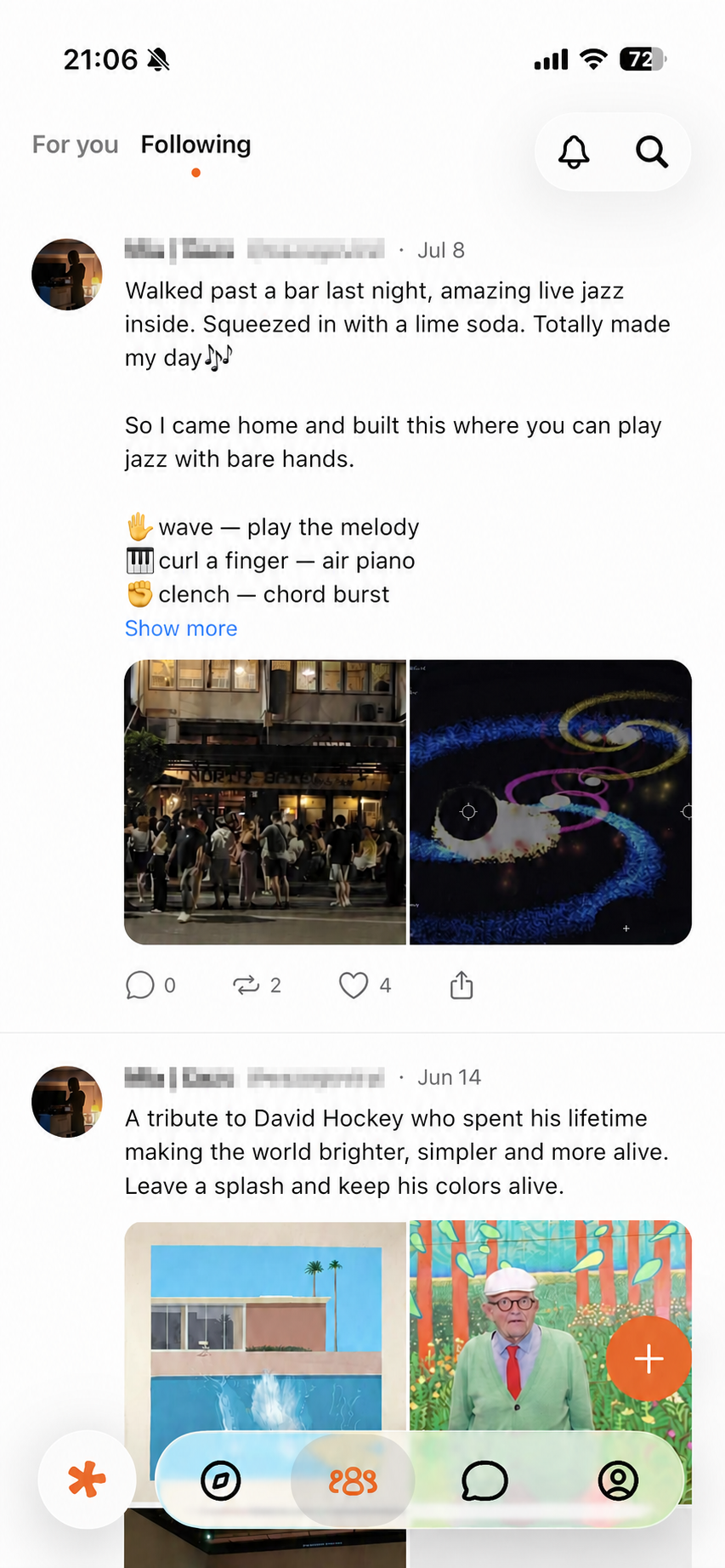 Figure 2: View content from accounts you follow.
Publish content
Before posting, check:
- The text and images.
- The linked App.
- The current visibility setting.
- Notifications, addresses, chats, and personal information visible in screenshots.
Linking an App does not mean the App generated the post, and Eazo does not review private information for you. Content is published only after you tap Post and confirm.
Find your posts
Go to Profile → Posts. Deleting a post may be irreversible and can break related comments or share entries. A linked App is not necessarily deleted with the post.
Report and block
For fraud, harassment, impersonation, hate, illegal content, or infringement, use the report or block entry shown on the current page. A report submits an issue to the platform; it does not mean a decision has already been made. For immediate danger, contact local emergency services first.