Create Your First App
Platforms: iOS and Android
Time required: depends on task complexity
Last updated: August 11, 2026
You do not need a product specification, page count, or technical plan before starting. Begin with one concrete need, and let Eazo Agent clarify and build the App with you through conversation.
Start creating
- Tap the Eazo icon on the left of the bottom navigation to open Eazo Agent.
- Tap Create, or describe your idea directly in the input box.
- Answer the Agent’s questions.
- Review the proposed plan.
- Confirm the direction and start the build.
- When the build finishes, open the App and try it yourself once.
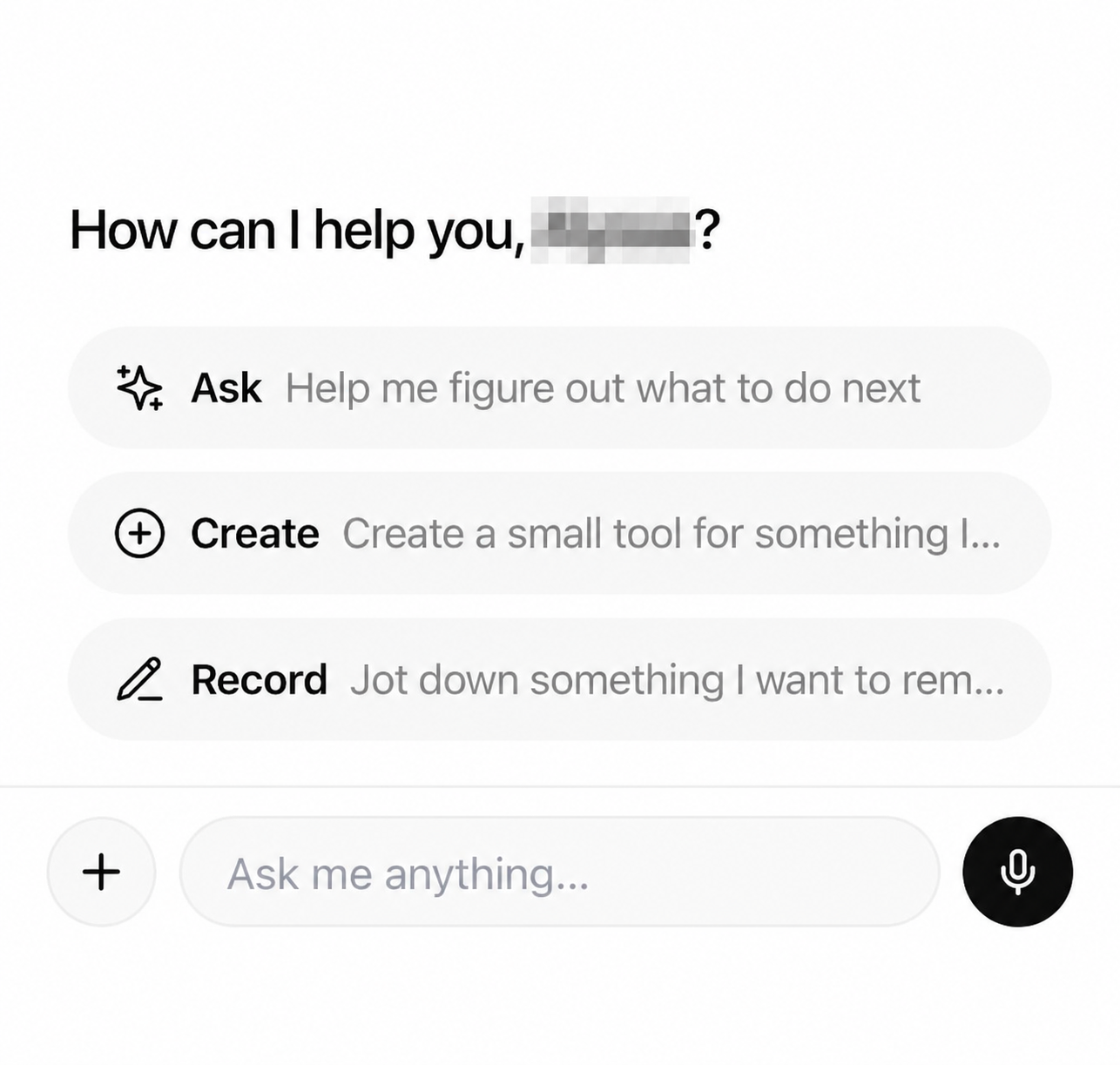
Figure 1: Choose Create on the Agent home screen, or describe your request in the input box.
Describe your idea
Your first message does not need to be complete. Try to include:
- Who it is for.
- What problem it should solve.
- The most important use case.
- Anything that must remain unchanged.
Example:
Build a daily hydration tracker. Users can set a daily goal, quickly log each drink, and see today’s progress.
You can also start with a photo so the Agent can understand an object, setting, or visual style. Hide unnecessary personal information before uploading.
Answer the Agent’s questions
The Agent may ask about your audience, page structure, or feature priorities. Add what you know, or ask it to suggest options when you have not decided.
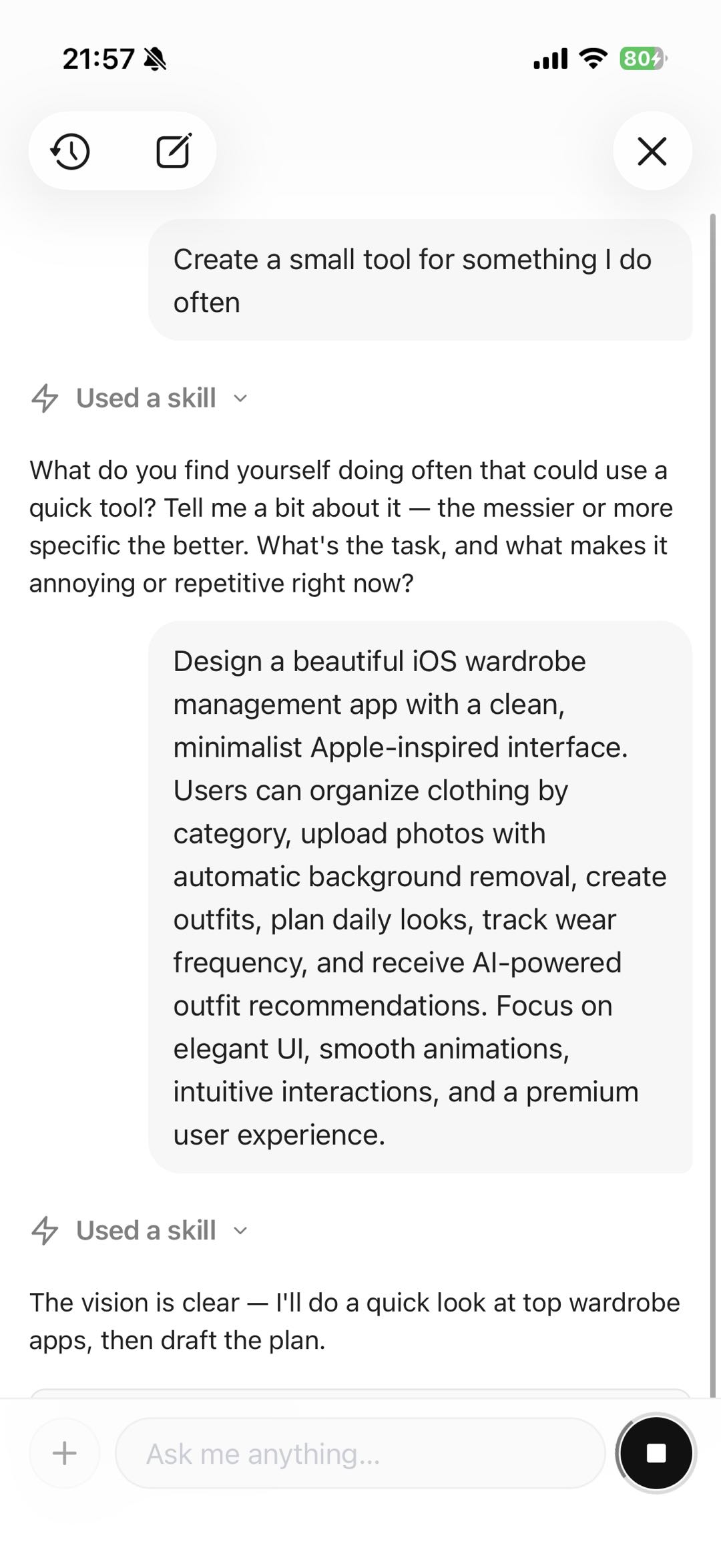
Figure 2: The Agent helps turn a rough idea into a more specific request. The content shown is only an example.
When the Agent proposes a plan, check that the core features and pages match your expectations before continuing.
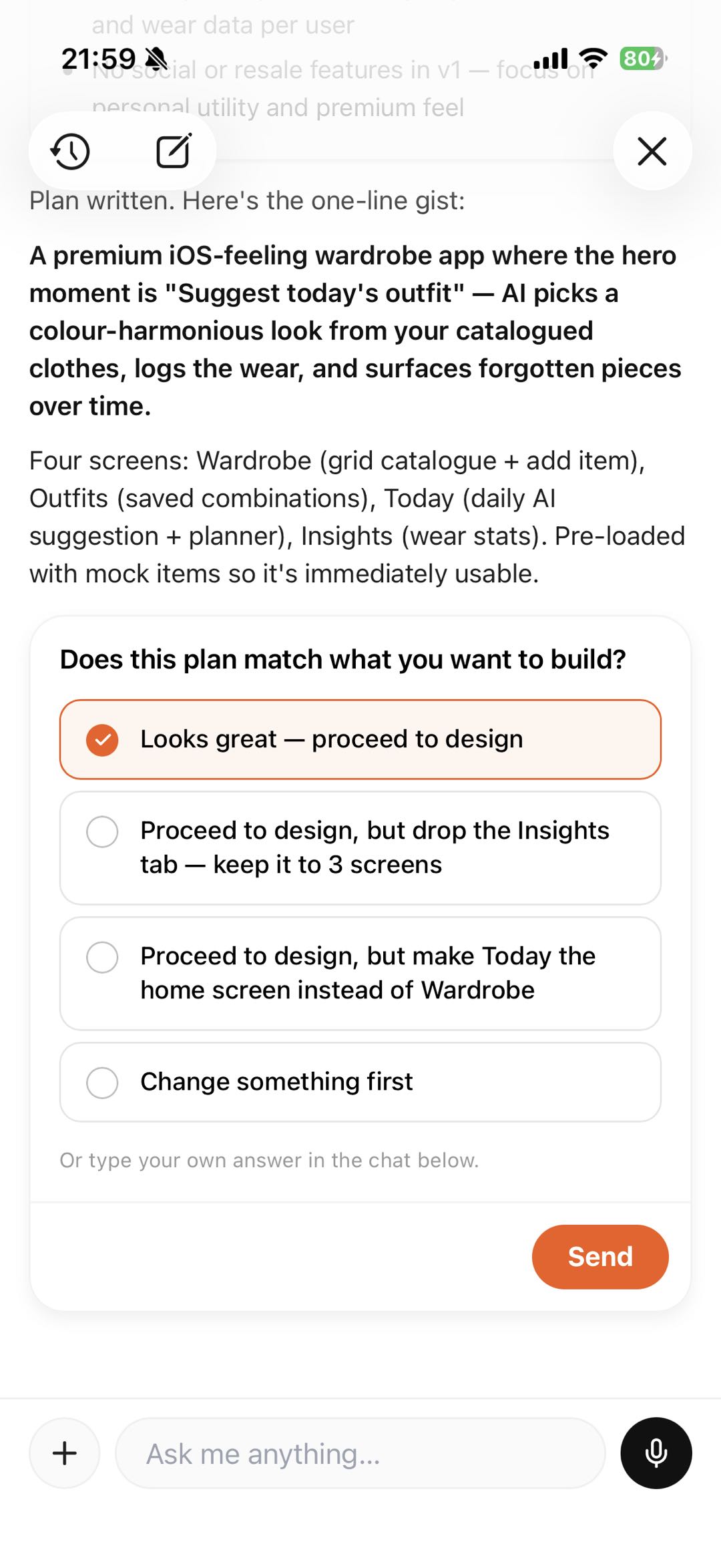
Figure 3: Choose a suitable plan or ask the Agent to adjust it first. The options shown are examples.
After the build
Do not treat the first generation as the finish line. Use it like a real user, then tell the Agent:
- Which page needs a change.
- What action you performed.
- What result you expected.
- What must stay unchanged.
Example:
Keep the current colors. Only reorder the form on the home page, and return to the list after saving.
Related help