Add AI features to your App
Add AI features for the people who use your App. Let them ask questions, work with images and audio, generate content, or get help with a task you define.
Build an AI App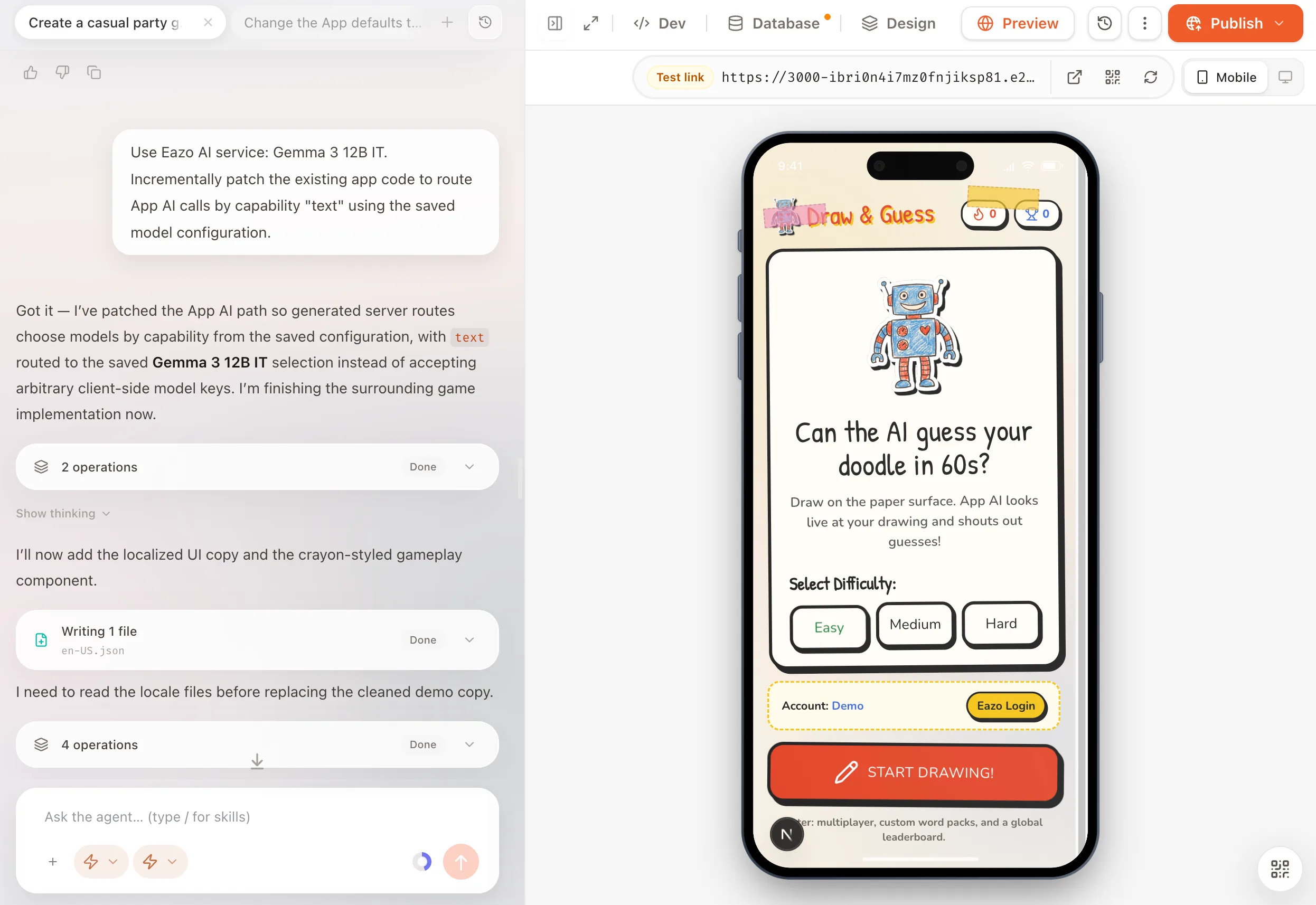
Add AI to your App without configuring a model API.
You can make AI part of your App even if you do not want to connect and manage a model provider yourself. Your visitors use the feature in the App they already opened.

Use AI without an external API key
Choose an available Eazo model. You do not need a separate provider account, external API key, or your own model integration to get started.
Embed AI in your App experience
People can ask, generate, or analyze within your App flow instead of switching to a separate AI tool or creating another account.
Monitor AI calls and Credits
Select the model, review calls and Credits, and turn Eazo AI off for an App when you need to.
Choose AI features for your App.
The App can use one or several capabilities. Each needs a compatible model selected in the current configuration.
AI chat and text generation
Build chat, drafting, summaries, extraction, structured answers, and recommendations.
AI image understanding
Let a visitor submit a photo, screenshot, receipt, or document for analysis with a vision-capable model.
AI image generation
Create illustrations, product concepts, or other images from a prompt using an image-generation model.
AI video generation
Generate a short clip from a text prompt or supported starting image with a video model.
Speech-to-text transcription
Transcribe a recording for voice input, notes, or a searchable transcript.
Text-to-speech audio
Turn written content into spoken audio for reading, narration, or voice feedback.
How to build and test an AI-powered App.
Tell the Agent what the App should do with AI and what the visitor should see. Choose a model after design confirmation, then try the complete flow in Preview.
- 01
Describe the user task
For example: “Read a receipt photo, extract the amount and category, then show a spending summary.”
- 02
Choose the AI setup
Select Eazo AI Service, a supported provider with your own API key, or no AI model for now.
- 03
Test and refine
Check input, output, errors, and the surrounding App flow before publishing. Ask the Agent to change the model or behavior when needed.
Understand AI usage, Credits, and API key costs.
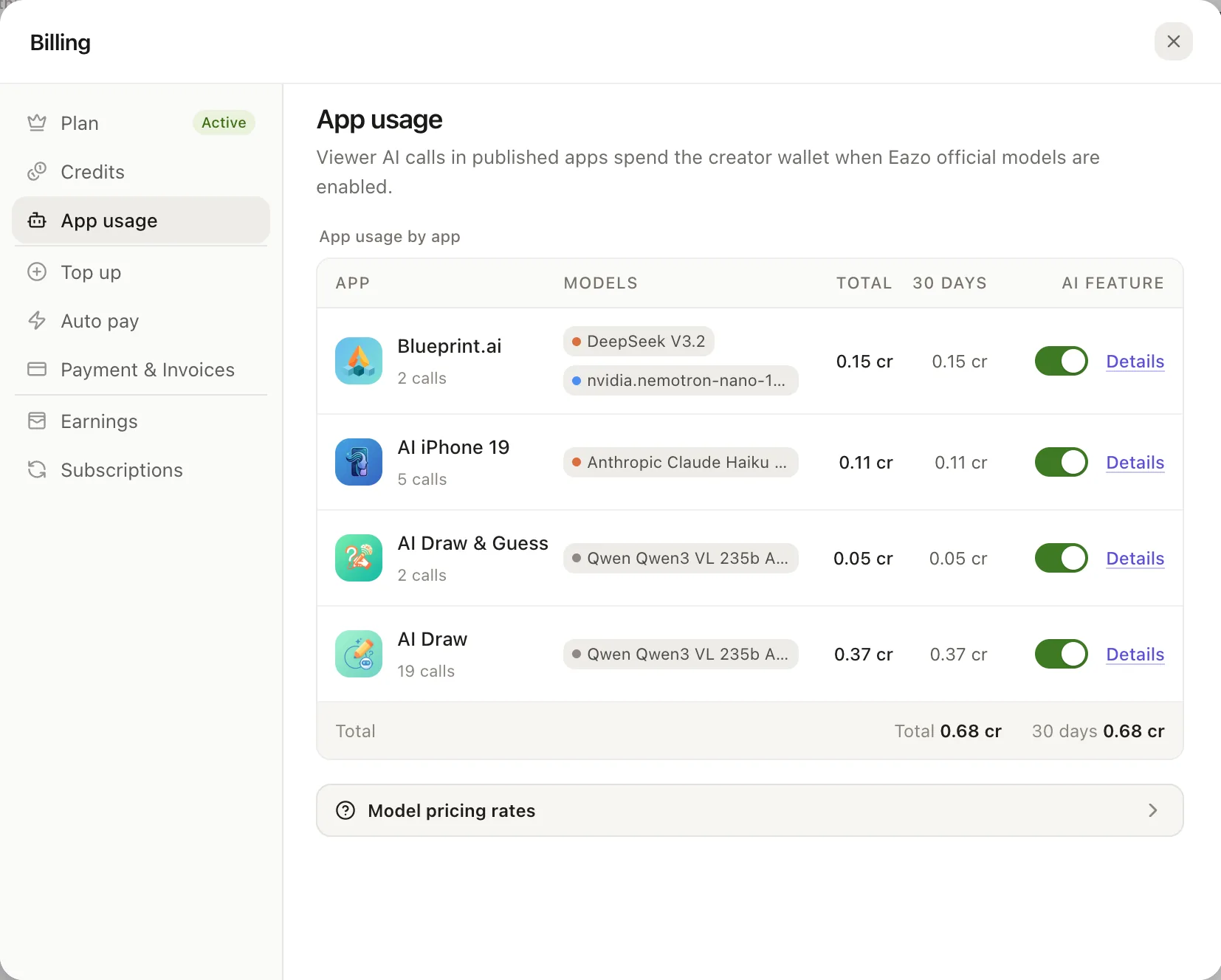
A saved configuration does not incur usage charges. Charges begin when the App calls a model; current availability and rates appear in the configuration and App usage screens.
Eazo AI Service
Visitors need no model account or API key. Calls use the App creator’s Credits, with rates based on the selected capability and model.
Your own API key
The creator pays the provider directly and manages its quota. Enter the key in the dedicated configuration card, never in a normal Chat message.
Review or pause usage
In More > Settings > App usage, review models, calls, Credits, and available rates. You can disable Eazo AI for an individual App.
Frequently asked questions about AI App features.
Clear answers about setup, control, limits, and what happens after you begin.
What does Built-in AI do in an Eazo App?
It lets visitors use AI within the App you create. Supported tasks include conversation, drafting, summaries, image understanding, image and short-video generation, speech transcription, and spoken output. The exact capabilities depend on the model you select.
Do people using my App need their own AI account or API key?
No when you use Eazo AI Service. Visitors use the AI feature inside your App without configuring a provider account or key. You can also bring your own supported provider key when that better fits your setup.
Who pays when people use AI features in my App?
Saving a configuration does not create usage charges. With Eazo AI Service, model calls use the App creator’s Credits. With your own API key, provider charges belong to the creator’s provider account. The Pricing page shows the current Eazo plans and Credit allowances.
How is my API key protected?
Keys entered through the dedicated configuration flow are kept in server-side configuration rather than browser code or ordinary Chat messages. Do not paste a complete secret into a normal prompt.
Can the AI read or update data stored in my App?
It can be connected to relevant App records and actions when the experience requires it. Keep its access limited to the task, check authorization on the server, and require confirmation for sensitive or irreversible actions. Learn how identity and records work on Database & Authentication.
Does Built-in AI guarantee accurate answers or complete actions?
No. A model can misunderstand input or produce an incorrect or incomplete result. Design the App so people can review important facts and confirm sensitive actions before the App changes data or commits to an outcome.
What information does an AI feature send to a model?
The App sends the content needed for the request, such as a question, image, or recording, to its configured model. What is sent depends on the App flow you build. Keep access limited to the task and explain the data use to visitors.
What happens when Credits run out or a model is unavailable?
For Eazo official models, AI usage pauses when the creator’s Credits run out and resumes after a top-up if the App remains enabled. A model outage, provider quota, or disabled App AI can also interrupt a call. The App should explain the interruption and preserve visitor input where possible.
Can I change the model or turn off AI after publishing?
Yes. Continue editing the same Project, update the AI setup, test the affected journey in Preview, and publish the verified change to the existing App address. For configuration details, see the App AI setup guide.
Make AI useful to your users.
Build an App that can answer, understand, or create around a task you choose.