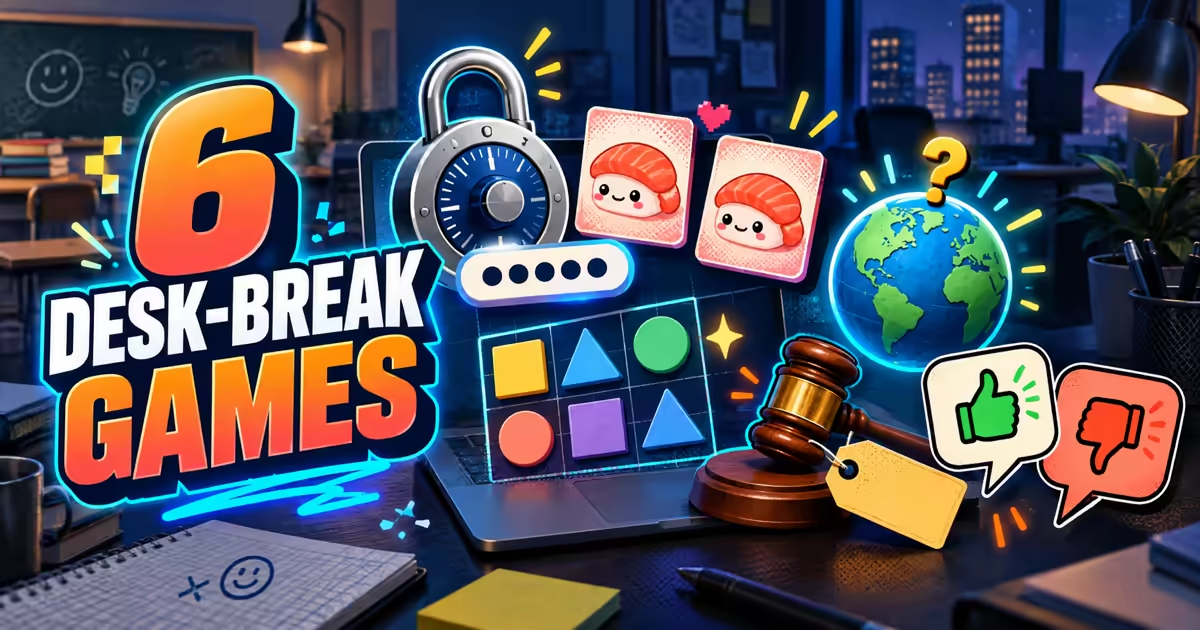
The computer in front of you can run a spreadsheet, 27 tabs, and—subject to local rules and the mercy of IT—one small puzzle. The printer has already entered its villain era. Let it have this.
These browser games require no download or account and work through ordinary clicks, drags, choices, or typing. They are useful when you have a few open minutes and a computer that was definitely not purchased for ray tracing. Follow whatever rules apply to the machine you are using; then decide whether today calls for a strange password, matching sushi, microscopic alignment, trivia, auction prices, or an opinion about cereal.
The Password Game
The Password Game starts with the sort of request every website makes: choose a password with at least five characters. Add enough characters and a number, and the completed rules turn green. Then a new rule appears. Then another. The same password has to satisfy every condition at once, so each improvement risks breaking something that was working thirty seconds ago.
We entered abcde5!. Length: approved. Number: approved. The next rule calmly requested an uppercase letter, as though the password had not already been revised by committee. This is how the game grows: not through quick reactions but through an expanding requirements document attached to one increasingly ungovernable text field. Somewhere, a project manager just felt a disturbance.
It is the best keyboard game in this list and one of the most naturally suited to a desktop. The rules are readable, changes are immediate, and stopping after a failed requirement is always possible. The drawback is that it can consume far more than a short break, and much of its comedy depends on seeing new rules for the first time. Once you know the escalation, replay becomes execution rather than surprise.
Riso Nori Match
Riso Nori Match is a memory game presented like a small risograph print project. Tap anywhere to begin, flip two sushi cards, and remember where each image lives until you can clear the board in pairs. The Easy board begins with six cards—three matches—while Medium and Hard wait nearby for anyone who considers remembering six pieces of sushi beneath them.
The interface tracks time, flips, matched pairs, best time, and fewest flips. It also includes a Feel On control and deliberately imperfect ink registration, so the cards look printed rather than clinically rendered. Our first flip moved the counter from zero to one and revealed exactly how quickly “I will obviously remember this” becomes an unsupported claim.
Riso Nori Match is quiet in structure and easy to understand without a tutorial pilgrimage. It works well as one contained puzzle on a school or work computer. Replay value depends on board size and shuffled positions rather than new rules, and visual memory games can feel repetitive once you settle into their rhythm. Choose it when you want a short task with an actual finish line.
Perfect Grid
Perfect Grid presents five micro-puzzles built around tiny visual imperfections. The first is called One Degree Off. Something is almost aligned, which is technically functional and therefore completely unacceptable. Drag the offending element until it snaps into the position the grid has been silently demanding.
The opening asks, “Can you really leave it like that?” This is less an instruction than a targeted psychological attack. The interaction is simple—drag to align—but the game understands that a crooked panel or uneven gap can occupy more mental real estate than several legitimate responsibilities. No thoughts, just fixing the one-pixel emergency.
Five levels make Perfect Grid finite and easy to fit into a break. Mouse dragging also suits a desktop well, especially when precise alignment matters. The same compact structure limits replay: after you know how each imperfection should be repaired, there is little mystery left. It is a satisfying short visit, not a new administrative duty.
WowFacts
WowFacts offers five surprising facts each day, a Today's Challenge, a Daily Facts area, and a broader World Challenge. The onboarding explains the loop plainly: discover facts, save favorites, and share the ones that deserve immediate deployment in a conversation that was previously going fine.
This is trivia with a low barrier to entry. You do not need to steer a character or decode a control scheme; you read, choose, and receive the reveal. A streak gives returning visitors a reason to come back, although the fact that the interface calls it a streak means your harmless browser break has already started building a performance metric. We were all having a nice time.
WowFacts is a good choice for a classroom-adjacent or work-break setting because even a wrong answer can end with an interesting fact. That does not make it a substitute for a verified reference source, and the quality of a daily trivia game depends heavily on the accuracy and freshness of its questions. Treat it as a quiz, not the final citation in your presentation.
Going Once
Going Once shows an unusual auction lot, gives you a dollar field, and asks what the object actually sold for. The current run contains six lots. Submit a bid and the game reveals the hammer price, your score, and the exact multiple by which your financial instincts left the building.
We offered $500 for a glass cloche of Victorian wax flowers. The hammer price was $1.9K; the game awarded 42 points and noted that the estimate was off by 3.8×. The next lot was already waiting. Nothing makes an arbitrary guess feel official faster than typography, a score, and the phrase CURIOSITY SOLD.
Going Once works particularly well on a shared screen because everyone can commit to a number before the bid is entered. It is less replayable after you learn the six prices, and one complete run lasts longer than a single micro-puzzle. Save it for a real break rather than the five seconds before somebody returns to the meeting room.
Hot Take Machine
Hot Take Machine presents 15 low-stakes arguments and asks for one of two responses: Reject or Agree. The current opening statement claims milk belongs in the bowl before cereal. Choose a side and the next disagreement arrives, while a Maverick score tracks how often you depart from the displayed majority.
We agreed with the first statement and were immediately moved to the next question: whether GIF has a hard G. The result said 63% agreed and 37% rejected, placing us with the majority. These splits are simulated parts of the game, not real survey findings. Please do not cite the machine during an actual pronunciation dispute; it has enough power already.
The two-button interaction is thin but perfectly suited to sharing with classmates or coworkers. Make everyone vote before the reveal and the conversation becomes the real game. Solo replay is limited after all 15 prompts are familiar, and some people will care more about defending an answer than watching the score. That is not a bug. That is how a cereal question becomes a situation.
Type your way into trouble with The Password Game, finish something compact with Perfect Grid or Riso Nori Match, learn one odd fact with WowFacts, and save Going Once or Hot Take Machine for a screen other people can see.
Then return the computer to its regularly scheduled tabs. If the next opening in your day is measured in minutes, use these quick browser games for a short break.