管理 Profile 与 Creator Center
适用平台:iOS、Android
最后更新:2026 年 8 月 18 日
Profile 中有什么
Profile 可能包含:
- 头像、名称和简介;
- Following、Followers 和 Posts;
- Apps、Posts 和 Liked;
- 会员和 Credits 信息;
- Creator Center;
- 账号设置。
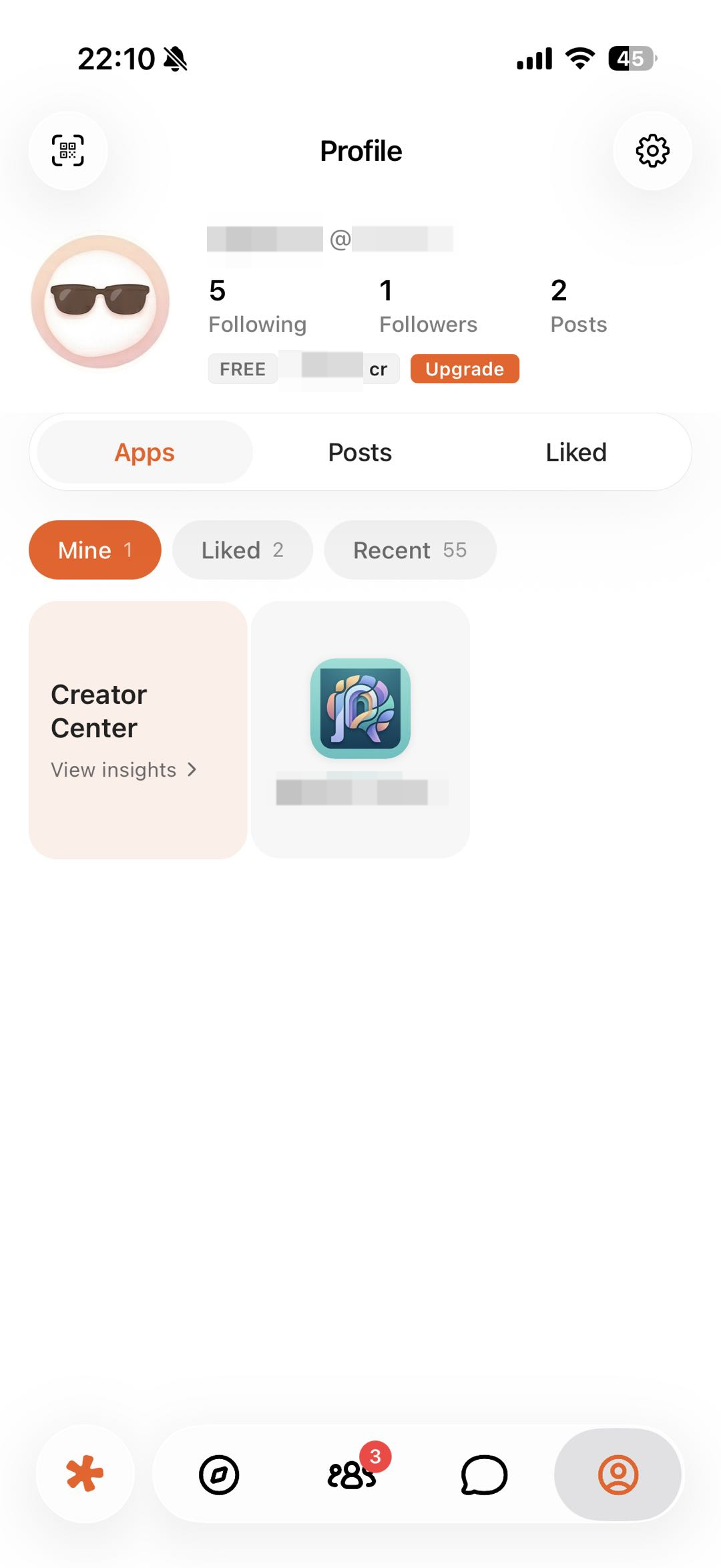
图 1:在 Profile 中查看自己的 App、最近使用和 Creator Center。截图中的账号信息已经遮挡。
编辑个人资料
- 打开 Profile。
- 进入设置或编辑资料入口。
- 修改头像、名称或简介。
- 保存后返回 Profile 检查结果。
不要在公开简介中填写住址、证件号码、私人电话或其他敏感信息。
从 Settings 打开帮助中心
- 打开 Profile。
- 进入 Settings。
- 点击 Help Center。
帮助中心会记住你上次选择的产品和语言。如需查看移动端说明,可以使用左上角的产品切换器选择 Eazo App。
找回自己的内容
- Posts:自己发布的社区内容。
- Mine:自己拥有或发布的 App。
- Recent:最近打开的 App。
- Liked(Profile 主标签):点赞过的帖子或评论。
- Liked(Apps 内):点赞保存的 App。
如果想长期保留一个 App,可以使用作品页面提供的点赞或收藏入口,再到 Profile → Apps → Liked 查找。
Creator Center
进入路径:
- 打开 Profile。
- 进入 Apps。
- 选择 Mine。
- 点击 Creator Center。
Creator Center 可能展示 Overview、Apps 和已开放的 Earnings 信息。数据可能存在统计延迟;具体指标、收益来源、比例、结算、退款和提现条件,以当前页面和相关协议为准。